
WebMCP and the New Language of the Invisible Web
WebMCP means digital products must be designed not only for humans, but also for AI agents that need to read and act on them.
WebMCP and the New Language of the Invisible Web
We designed the web for humans. For eyes, hands, mice, touchscreens.
Buttons, menus, calendar widgets, cart flows, checkout steps: everything assumes that a person looks at the interface, understands it, and then interacts with it by clicking, scrolling, or typing.
AI agents do not use the web that way. They do not “see” a product the way we do. They read the DOM, scrape HTML, parse the accessibility tree, and sometimes try to infer button meaning from screenshots. That looks impressive in a demo. In a real product, it is fragile.
Move a button, change a label, add a modal, or load the calendar differently, and the agent can start making worse decisions. At the same time, it often has to process a large amount of page content for an action a human would finish in two clicks.
This is where WebMCP comes in. According to Chrome’s current documentation, WebMCP stands for Web Model Context Protocol: a proposed web standard that lets websites expose themselves not only as visual interfaces, but also as machine-readable bundles of capability.
We Do Not Need Better Clicking. We Need a Better Language.
Take a flight search product.
Without WebMCP, the AI agent has to find the origin field, type the city, move to the destination field, work through the calendar component, choose passenger count and passenger type, then press the search button.
With WebMCP, the website can expose a structured tool:
searchFlights(origin, destination, date, passenger_number, passenger_type)
That is not a small technical convenience. It is a language shift.
The agent no longer has to guess what is happening on the screen. It can see which action is available, what input it expects, and what state the page is in.
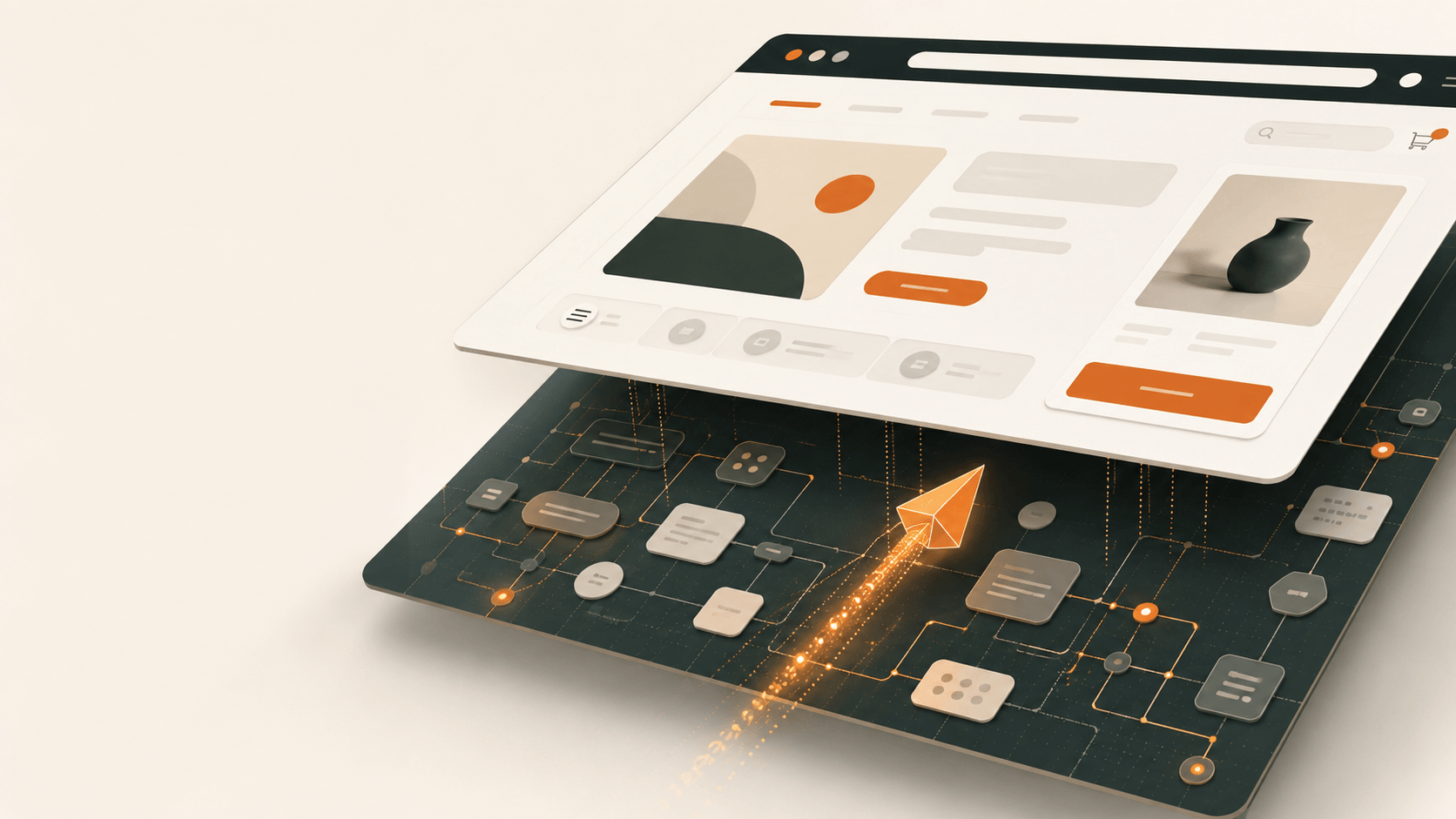
Future websites will have two layers:
- a visual UI for human users,
- and a semantic interface for AI agents.
Important distinction: WebMCP does not mean the human interface disappears. It means another structured layer appears alongside it. Based on the Chrome documentation and W3C explainer, the goal is for the agent to collaborate with the page inside the browser, in the user’s context, in a way that remains visible and controllable.
That makes it different from classic backend MCP integrations. In those cases, the agent often talks to the service backend while bypassing the web interface. WebMCP works on the client side: it uses the current page, browser session, existing JavaScript logic, and user context.
WebMCP is not about helping AI click more cleverly. It is about making the website readable as a set of capabilities.
UX Now Needs AX
As UX designers, we have usually asked: what can the user see, understand, and do?
Now a second question sits next to it: what can the AI agent see, understand, and safely execute?
We can call this AX, or Agentic Experience. Not because we need another acronym on the wall, but because this really is a different design problem: AX is the design of how a product’s capabilities become legible to machine actors.
For product and UX teams, this becomes a set of concrete decisions:
- which actions should be exposed as tools,
- which actions need human approval,
- what context the agent should receive,
- what a useful machine-readable error should look like,
- when an action should be available, and when it should not.
WebMCP gives teams two main paths.
The first is the declarative API. Existing HTML forms can be extended with attributes that let the browser generate a tool. This is a good entry point for search, application forms, simpler filters, and support flows.
The second is the imperative API, where tools are registered from JavaScript, for example with
document.modelContext.registerTool(). It takes more work, but gives more control. Acheckouttool, for example, should only be visible to the agent when there is actually something in the cart.
This is next-level UX thinking. Only now we are not designing visual hierarchy. We are designing action hierarchy.
Efficiency Is Not a Theoretical Argument Here
The strongest argument for WebMCP is that it gives the AI agent far less to guess.
A 2025 webMCP study examined agent-ready web interactions across 1,890 API calls in online shopping, authentication, and content management workflows. According to the study, the structured interaction layer reduced processing requirements by an average of 67.6%, while task quality remained high. Measured cost reduction ranged from 34-63%, depending on the scenario.
Those numbers should not be pasted onto every product as a universal promise. But the pattern is hard to ignore.
When the agent does not have to interpret the whole page and instead receives targeted, well-described actions, it can decide faster, use fewer tokens, and get lost less often. From a product design perspective, this is not a technical footnote. It affects conversion, support cost, reliability, and brand experience.
An AI agent will not appreciate the elegant microcopy in the second modal if it cannot tell which action changes state, which one only retrieves information, and when it needs to stop for approval.
Bad UX will soon become bad AX too.
The Invisible Interface Can Be Attacked Too
The more actions we hand over to AI agents, the less we can afford to leave security design until the end. It is not enough to say, “the model will decide.”
It will not always decide well.
The Chrome WebMCP security guidance specifically discusses the risk of indirect prompt injection. LLMs process text, instructions, and user data as one token stream, which means malicious content can steer an agent in the wrong direction.
A June 2026 paper describes a more specific WebMCP risk: Mid-Session Tool Injection. In this attack model, a third-party script, such as a compromised SDK, modifies or reframes the tools visible to the agent during the session.
Two attack patterns matter especially:
- Tool Hijacking: manipulating the visible set of tools.
- Tool Framing: distorting a tool’s name, description, or metadata fields.
The second one is especially interesting from a design perspective. The AI agent understands the purpose of an action from the tool description. If that can be manipulated, the agentic interface itself becomes an attack surface.
In AX, the tool description plays the same role as a button label in UI. The difference is that an AI agent makes decisions from it.
There Is No Agent-Ready Product Without Guardrails
In WebMCP, guardrails are part of the product. They are not an optional topping.
Chrome’s guidance recommends using readOnlyHint and untrustedContentHint. The first signals that a tool does not change state. The second matters when a tool returns external or user-generated content, such as comments, reviews, or marketplace descriptions.
They look like small fields, but they do real work. They tell the agent: you can read this, but treat it carefully; you can execute this with lower risk; here you should ask a human for confirmation.
WebMCP also works with origin isolation and permissions policy requirements. In plain terms: it matters what origin a piece of code comes from, which iframe it runs in, and what permission it has to register or access tools.
For an agent-ready product, the real questions are:
- what exactly the agent can see,
- what it can invoke,
- when it needs to stop,
- how trusted and untrusted content are separated,
- how tool calls are logged,
- how third-party code is prevented from rewriting meaning.
This is an engineering problem too, but without AI governance at the product level, it is only half-designed.
Your Product Becomes a Bundle of Capabilities
In 2026, a digital product is no longer made of web pages. It is made of capabilities:
Search. Filtering. Recommendation. Purchase. Booking. Document upload. Permission management. Debugging. Refund.
Until now, we mostly hid these capabilities behind UI elements. The user learned, hopefully with little friction, where they were and how to use them. An AI agent does not want to relearn every website as if it were a human.
WebMCP forces us, in a useful way, to name the real actions inside the product.
That can be uncomfortable, because it exposes the product’s internal logic. But that is why it helps. If you cannot say what tools your product would give to an agent, there is probably noise, and maybe trouble, in the human UX as well.
Is your product ready for AI agents to become users just as important as humans?
Because if more of the web is read, interpreted, and operated by algorithms on our behalf, then a product that machines cannot read will become harder to see as a business too. Not because it disappears. Because on the new invisible interface, it says nothing.
Sources
More writing from the archive
Open Knowledge Format: A Shared Language for AI Agents
OKF shows why stronger models are not enough: AI agents need shared, portable context that humans can still read.
Why AI Agents Still Need Human Agency
AI Agents are fast, but real work depends on intent, context, judgment, and accountability. That is still a human role.
Projects connected to this thinking
Raiffeisen Bank: End-to-End Online Account Opening
Raiffeisen Bank: End to End Online Account Opening When Raiffeisen Bank decided to let customers open a bank account entirely online — no branch visit required — they kne…
Open Brain: Building a Personal Knowledge Backend with AI
Open Brain: Building a Personal Knowledge Backend with AI What if your notes could think? Not in a sci fi way — but in a practical, "I wrote something three months ago th…